Overview
Channel groups let you assign amplifier channels to independent volume zones, each controlled separately from your knob. This article walks through common configurations to help you plan your setup.
For instructions on creating and editing channel groups, see Channel Groups and Multi-Unit Control.
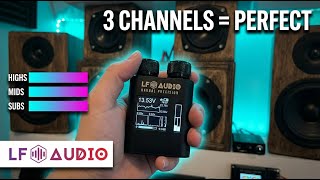
3-Group Setup: Highs / Mids / Subs
A common SQ (sound quality) configuration splits the system into three frequency zones:
| Group | Channels | Amplifier | Purpose |
|---|---|---|---|
| Highs | 1-2 | WVC-PRO-6 (channels 1-2) | Tweeters and upper-mid drivers |
| Mids | 3-4 | WVC-PRO-6 (channels 3-4) | Midrange and midbass drivers |
| Subs | 5-6 | WVC-PRO-6 (channels 5-6) | Subwoofers |
This setup lets you adjust subwoofer level independently from the rest of the system. Useful for tuning bass response to different music genres or SPL demos without affecting the mids and highs.
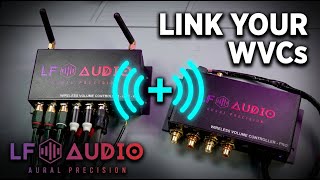
Tip: You can also use a second base station (for example, a WVC-PRO (2-channel)) dedicated to the subwoofer amplifier. Link the second base station to the first one, and its channels can go in their own group. You control it from the same knob. You do not need to pair another knob to it. This is useful when the sub amp is physically far from the main amp. See Linking Units.
2-Group Setup: Front / Sub
The simplest multi-group configuration:
| Group | Channels | Purpose |
|---|---|---|
| Front | 1-2 | All front-stage speakers (mids, highs) |
| Subs | 3-4 | Subwoofers |
This works well with a 4-channel DSP where channels 1-2 feed the front stage and channels 3-4 feed the subwoofer amplifier.
4-Group Setup: Per-Amplifier Control
For builds with multiple amplifiers, assign each amp to its own group:
| Group | Channels | Amplifier |
|---|---|---|
| Tweets | 1 | Tweeter amp |
| Mids | 2 | Midrange amp |
| Midbass | 3 | Midbass amp |
| Subs | 4 | Subwoofer amp |
On a Single Knob, double-click to move to the next group, then turn the knob to set that group's volume. On a Quad Knob, each of the four rings controls its own group. The app shows every group's level at a glance. It cannot change volume.
Multi-Unit Mesh Setup
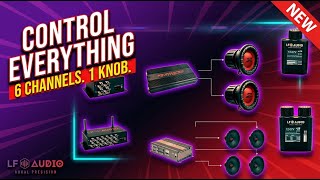
When your build uses more than 6 channels, add a second WVC base station to the mesh:
| Base Station | Channels | Groups |
|---|---|---|
| WVC-PRO-6 (primary) | 1-6 | Highs, Mids, Midbass |
| WVC-PRO (2-channel) (secondary) | 1-2 | Subs |
The second base station is linked to the first one. You control it from the same knob. You do not need to pair another knob to it. Groups from all units appear together in the app and on the knob display. See Linking Units for how to link a base station.
Naming Groups
Each group can have a custom display name (up to 10 characters). Choose short, descriptive names that are easy to read on the knob screen:
- HIGHS, MIDS, SUBS: frequency-based
- FRONT, REAR, SUB: location-based
- AMP1, AMP2, AMP3: amplifier-based
Group names are set in the LF Audio AuralSync app. You can also set them under Advanced > Channel Groups on the RTC, a WVC Dual PRO Knob or WVC Quad PRO Knob, WDD-LITE or BassWatch. A PRO knob, WDD-LITE and BassWatch need firmware 4.12.3 or newer for it. The Single, Dual, Concentric and Quad Knobs cannot name groups.
In the app, tap Save. On the RTC, a PRO knob, WDD-LITE or BassWatch, your changes go to the base station when you leave the Channel Groups screen. Stay connected to your base station when you leave. The same names then appear on the wireless knob, the RTC screen, and the app.
Related Articles
- Channel Groups and Multi-Unit Control: how to create, edit, and manage channel groups